What's New

Instagram

About Me

Photo Profile
Meetanshi Architecture Designer

Meetanshi is found based on providing the best Magento Extensions and Customized eCommerce Business Solutions perfected to the users’ needs. Our Happy users make us Happy. Complete satisfaction to our clients is what drives and motivates us to work hard. Read More

Tuesday, October 1, 2024

Step-by-Step Guide to Managing Multiple Currencies in Magento 2

 As your Magento 2 store grows globally, offering multiple currencies becomes essential to provide a seamless shopping experience for international customers. Managing multiple currencies not only enhances customer satisfaction but also helps in increasing conversion rates by allowing customers to shop in their preferred currency. This guide will walk you through the steps to manage multiple currencies in Magento 2 and ensure your store is well-equipped for global business in 2024.


Why Enable Multiple Currencies?: Offering multiple currencies improves customer satisfaction by allowing international shoppers to buy in their local currency, increasing conversion rates.


Pre-Configuration Checklist: Ensure you have access to the Admin Panel, set up store views, and know the currencies you wish to support before configuring multiple currencies.


Step 1: Enable Currencies in Magento 2 Admin: In the Magento Admin Panel, enable allowed currencies under the Currency Setup in the Stores > Configuration section.


Step 2: Set Up Currency Rates: Manually enter conversion rates or import them automatically through a currency service to ensure accurate pricing for all supported currencies.


Step 3: Schedule Currency Rate Updates (Optional): Automate currency rate updates by configuring a scheduled import from an external conversion service to keep prices accurate.


Step 4: Configure Store Views for Different Regions: Assign default display currencies for each store view to ensure customers see the correct currency based on their region.


Step 5: Test Currency Display: Check that the correct currencies display on the frontend by simulating customer views from different regions or switching store views.


Best Practices for Managing Multiple Currencies: Regularly update currency rates, round prices for transparency, and ensure payment gateways support cross-border transactions.


How Multiple Currencies Benefit Your Store: Offering multiple currencies reduces cart abandonment, increases global reach, and fosters trust with international customers.


Conclusion: Managing multiple currencies in Magento 2 is essential for global eCommerce success, improving customer experience and boosting your store’s international sales potential.


For a detailed blog:https://meetanshi.com/blog/magento-2-currency-setup/

How to Seamlessly Integrate eBay with Shopify: A 2024 Guide

 In 2024, diversifying your sales channels is crucial for growing your online business, and integrating eBay with Shopify offers a powerful way to expand your reach and boost sales. With millions of active buyers on eBay and Shopify’s robust eCommerce platform, merging the two can help you tap into new markets, streamline operations, and increase revenue. Here’s a step-by-step guide on how to seamlessly integrate eBay with Shopify in 2024.


Why Integrate eBay with Shopify?: Combining Shopify and eBay broadens your reach, streamlines inventory management, and boosts sales by reaching more customers.

Choosing the Right eBay App: Look for features like inventory syncing, order management, bulk listing, and automated pricing adjustments for seamless integration.

Step 1: Install an eBay Integration App: Choose and install an eBay app from the Shopify App Store to begin the integration process.

Step 2: Connect Your eBay Account: Link your existing eBay seller account with the app, or create one if needed.

Step 3: Sync Your Products: Map your Shopify products to eBay categories and bulk-upload your listings using the integration app.

Step 4: Set Pricing and Shipping Rules: Align your Shopify prices and shipping settings with eBay, or set custom rules for the eBay platform.

Step 5: Automate Inventory and Orders: Enable auto-sync for inventory and orders between Shopify and eBay to avoid manual updates.

Step 6: Customize eBay Listings: Tailor product titles, descriptions, and images for eBay to maximize search visibility and buyer interest.

Step 7: Manage Orders from Shopify: Process and fulfill eBay orders directly from the Shopify dashboard for seamless order management.

Best Practices for Managing Integration: Optimize listings for eBay SEO, monitor inventory, leverage promotions, and maintain a positive seller rating.


Conclusion

Integrating eBay with Shopify in 2024 is a smart way to maximize your sales potential by leveraging two powerful platforms. By using an eBay integration app, you can effortlessly manage your eCommerce operations from one place, increase your exposure to eBay’s global audience, and simplify your order fulfillment process. Following this guide will ensure a smooth, seamless integration, allowing you to focus on growing your business and satisfying your customers across both platforms.

For a detailed blog :https://meetanshi.com/blog/best-shopify-apps-for-ebay/

5 Benefits of Offering a PDF Product Catalog in Your Magento 2 Store

 In the world of eCommerce, creating an efficient and user-friendly shopping experience is essential for success. One often overlooked yet highly beneficial feature is offering a downloadable PDF product catalog. For Magento 2 store owners, this feature can enhance customer satisfaction, streamline product information sharing, and even boost sales. In this blog, we will explore the top five benefits of providing a PDF catalog in your Magento 2 store.


Improved Accessibility: Customers can view your product catalog offline, enhancing convenience and accessibility across devices.

Enhanced Presentation: You can design a visually appealing and organized catalog, offering a professional showcase of your products.

Easy Sharing and Printing: Customers can easily share or print the catalog for offline access, making it ideal for B2B or trade show use.

Increased Engagement: Provide extra product details, specifications, and links to engage customers and drive them back to your website.

SEO and Marketing Benefits: Optimized PDFs can be indexed by search engines, boosting SEO, and serve as useful marketing tools in campaigns

Offering a PDF product catalog in your Magento 2 store is more than just an extra feature—it’s a strategic way to enhance customer experience, improve product visibility, and increase engagement. By providing this easy-to-access and shareable resource, you can cater to a wider audience and help your customers make informed purchasing decisions

For a detailed blog :https://meetanshi.com/blog/how-to-create-a-pdf-catalog-in-magento-2/


How to Prepare Your Shopify Store for a Successful Migration

 Migrating your Shopify store to another Shopify store can be a complex process, but with the right preparation, you can ensure a smooth transition. Here are essential steps to prepare your Shopify store for a successful migration.


Back Up Your Data: Ensure you securely back up your product, customer, and order data using Shopify's export features. This precaution protects you from data loss during the migration process.

Assess Your Current Store: Evaluate your existing store to determine which elements to transfer, including products, themes, and apps. Identify features you want to improve or change in your new store.

Choose a Migration Method: Decide between manual data transfer or using migration apps to automate the process. Consider tools like Cart2Cart or Shopify's Import Store for a more streamlined experience.

Plan Your New Store Structure: Outline how you want your new store to look and function, including site navigation and product categories. This planning will enhance user experience and organization.

Test Your New Store: If possible, create a test environment to upload data and experiment with designs. This allows you to troubleshoot issues without affecting your live store.

Communicate with Customers: Keep your customers informed about the migration timeline and any changes. Transparency helps maintain their trust and engagement throughout the process.

Conclusion

Preparing your Shopify store for migration is a crucial step in ensuring a smooth transition. By following these steps, you can minimize disruptions, preserve your valuable data, and set the stage for a successful new store. With careful planning and execution, you’ll be well on your way to a thriving Shopify experience in your new environment.

For a detailed blog:https://meetanshi.com/blog/migrate-shopify-to-another-shopify-store/


Monday, September 30, 2024

How to Choose the Right Magento 2 App Builder for Your Business in 2024

 In today’s digital age, having a seamless, high-performing mobile app is a crucial aspect of eCommerce success. Magento 2 app builders provide an efficient way to create apps without heavy coding, allowing businesses to extend their store's reach and improve user experiences. However, with various app builders available, it’s essential to choose the right one that aligns with your business goals and technical requirements. Here’s a step-by-step guide to help you make the best decision for your Magento store in 2024.


1. Define Your Business Needs
Clearly outline your app's goals (sales, engagement) and required features. This will guide you in choosing an app builder that fits your objectives.

2. Consider User Experience (UX)
Ensure the app builder provides a smooth, intuitive interface with responsive templates and easy customization for a positive user experience.

3. Evaluate Customization Options
Look for extensive customization options like layouts, branding, and third-party integrations, ensuring the app aligns with your business needs.

4. Check for Magento 2 Integration
Choose an app builder that syncs seamlessly with Magento 2, offering real-time updates on products, orders, and customer data.

5. Analyze Performance and Scalability
Ensure the builder supports fast load times, handles large volumes, and scales as your business grows, providing long-term reliability.

6. Examine Security Features
Verify the app builder offers SSL encryption, PCI compliance, and regular updates to protect customer data and maintain security.

7. Consider Pricing and Budget
Review pricing plans, features, and possible hidden costs to find a builder that fits your budget while delivering the required functionality.

8. Look for Customer Support
Check for 24/7 support, comprehensive documentation, and a strong user community to help resolve issues during setup and maintenance.

9. Check User Reviews and Case Studies
Research user feedback, reviews, and case studies to evaluate the app builder’s real-world effectiveness and customer satisfaction.

Conclusion

Choosing the right Magento 2 app builder is a critical decision for enhancing your mobile eCommerce strategy in 2024. By evaluating your business needs, ensuring integration with Magento 2, prioritizing user experience, and considering security, performance, and pricing, you can select the best app builder for your store. With the right tools, you’ll be able to create a mobile app that engages customers, drives sales, and supports your business growth.

For a detailed blog:https://meetanshi.com/blog/best-magento-2-app-builder/


Best Practices for Managing Gift Cards in Magento 2: A Complete Guide

 Gift cards are an excellent way to boost sales and increase customer loyalty. In Magento 2, the gift card feature allows store owners to create flexible and personalized gifting options. To ensure the smooth operation and management of gift cards, following certain best practices is essential. In this guide, we’ll cover key tips to help you effectively manage gift cards in Magento 2.


Enable Multiple Gift Card Types
Offer virtual, physical, and combined gift cards to give customers flexible gifting options and maximize sales potential.

Personalize the Gift Card Experience
Allow customers to add personal messages, choose card designs, and schedule delivery for a more customized experience.

Set Expiry Dates for Gift Cards
Define expiration dates for gift cards to manage liabilities, but clearly communicate the policy to avoid dissatisfaction.

Offer Flexible Gift Card Values
Provide both predefined and custom gift card amounts, allowing customers to choose a value that fits their budget.

Track Gift Card Usage with Reporting Tools
Use Magento 2’s reporting tools to monitor gift card performance, track redemptions, and identify opportunities for improvement.

Promote Gift Cards Across Channels
Advertise gift cards on your website, via email campaigns, and through social media to boost sales, especially during peak seasons.

Simplify Gift Card Redemption
Ensure a smooth and intuitive redemption process by making the gift card code entry field visible during checkout.

Enable Partial Redemption for Flexibility
Allow customers to partially redeem gift cards across multiple transactions, providing greater flexibility and convenience.

Provide Clear Terms and Conditions
Clearly outline gift card usage, expiration, and redemption policies on your product page and in customer emails.

Automate Gift Card Email Notifications
Set up automated email notifications for virtual gift cards to ensure recipients receive their cards instantly after purchase.

Conclusion

Managing gift cards in Magento 2 can significantly boost your store's revenue while providing an excellent gifting option for your customers. By enabling different card types, offering personalization, setting clear terms, and leveraging reporting tools, you can ensure that your gift card program runs smoothly and efficiently. Follow these best practices to enhance both the customer experience and your store’s profitability.

For a detailed blog:https://meetanshi.com/blog/how-to-integrate-canada-post-shipping-into-magento-2/


Sunday, September 29, 2024

Top Tips to Optimize Canada Post Shipping in Magento 2 for Seamless Deliveries

 Incorporating Canada Post shipping into your Magento 2 store is a significant step toward ensuring smooth deliveries across Canada and internationally. However, optimizing the integration for peak performance is essential to ensure seamless operations, reduced costs, and enhanced customer satisfaction. In this blog, we’ll explore top tips to help you get the most out of Canada Post Shipping within Magento 2.


Enable Real-Time Shipping Rates
Fetch live shipping rates at checkout to ensure accurate shipping costs, reducing cart abandonment.

Offer Multiple Shipping Options
Provide a variety of delivery methods like Priority, Xpresspost, and Expedited Parcel for flexibility.

Set Up Weight-Based Shipping Rules
Configure weight-based shipping rules to ensure fair and accurate shipping costs for all orders.

Integrate Canada Post Tracking for Customers
Enable automatic email notifications with tracking info to improve customer satisfaction and reduce inquiries.

Leverage Shipping Labels for Efficient Fulfillment
Generate shipping labels directly from the Magento admin to streamline your fulfillment process.

Offer Free Shipping on Specific Conditions
Set rules for free shipping based on order value, product categories, or customer groups.

Monitor Shipping Rates and Adjust Regularly
Stay competitive by reviewing and adjusting shipping rates as needed based on Canada Post updates.

Set Up Shipping Zones for Cost Efficiency
Create custom shipping zones for domestic and international orders to manage costs effectively.

Utilize Magento 2 Shipping Reports
Analyze shipping reports to understand costs, usage, and customer preferences for better decision-making.

Provide Transparent Delivery Information
Clearly communicate delivery times and costs on product pages, at checkout, and in order emails.

Conclusion

Optimizing your Canada Post shipping in Magento 2 is key to delivering a seamless experience for your customers. You can streamline operations and enhance customer satisfaction by offering real-time rates, tracking options, multiple shipping methods, and clear communication. Keep these tips in mind as you refine your shipping strategies for a more efficient and profitable eCommerce store.

For a detailed blog https://meetanshi.com/blog/how-to-integrate-canada-post-shipping-into-magento-2/


Thursday, September 26, 2024

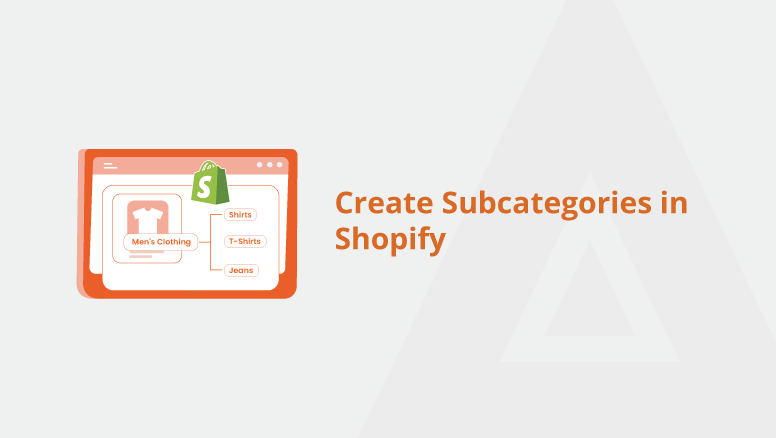
Best Practices for Organizing Categories in Shopify for a Seamless Shopping Experience

 An organized and user-friendly Shopify store structure is essential for a smooth shopping experience. Properly setting up and managing categories (also known as collections in Shopify) helps customers find what they need quickly, which can lead to higher conversions and a better overall user experience. In this blog, we'll cover the best practices for organizing categories in Shopify to ensure a seamless shopping experience for your visitors.


Keep categories simple and logical: Organize your store with clear, straightforward categories that customers can easily understand and navigate.

Use subcategories for better organization: Create subcollections under parent categories to offer deeper, more intuitive product grouping.

Optimize collection pages and navigation: Ensure easy access to collections through the navigation menu and enhance collection pages with relevant filters and tags.

Use SEO-friendly names and feature trending collections: Name categories with relevant keywords for SEO, and highlight popular or seasonal collections on your homepage.

Test, update, and ensure mobile-friendly navigation: Regularly test your navigation for ease of use, update outdated collections, and optimize for mobile shopping.


Conclusion

Organizing categories effectively in your Shopify store is crucial for providing a seamless shopping experience. By keeping your categories simple, using subcategories where necessary, leveraging collection pages, and optimizing for both SEO and mobile, you can ensure that customers will find what they need quickly and easily. Implement these best practices to make your Shopify store’s navigation more intuitive, improve the overall user experience, and ultimately boost your conversions.


For a detailed blog:https://meetanshi.com/blog/create-subcategories-in-shopify/


Get more of our update !