What's New

Instagram

About Me

Photo Profile
Meetanshi Architecture Designer

Meetanshi is found based on providing the best Magento Extensions and Customized eCommerce Business Solutions perfected to the users’ needs. Our Happy users make us Happy. Complete satisfaction to our clients is what drives and motivates us to work hard. Read More

Thursday, November 14, 2024

Top Features of Google Search Console You Should Know

 Google Search Console (GSC) is an essential tool for website owners, SEO professionals, and digital marketers. It offers invaluable insights into a website’s performance on Google Search and helps troubleshoot technical issues, optimize content, and enhance user experience.


Here’s a rundown of the top features that make Google Search Console a must-have for anyone managing a website.


Performance Report

Track clicks, impressions, CTR, and keyword rankings to analyze your website’s search performance and identify optimization opportunities.


 Indexing Reports

View indexed pages and fix errors like 404s or blocked resources to ensure your important pages are accessible on Google.


 URL Inspection Tool

Analyze specific URLs for indexing issues and submit them to Google for reindexing after making updates.


 Core Web Vitals

Optimize metrics like page speed, interactivity, and visual stability to enhance user experience and search rankings.


 Mobile Usability Report

Identify and fix mobile-friendly issues like small text or content overflow to improve usability on mobile devices.


 Enhancements for Rich Results

Check structured data errors and validate schema to ensure eligibility for rich results like FAQs or reviews.


Links Report

Analyze internal and external links to improve site authority and optimize anchor text for better SEO.


Security and Manual Actions

Address threats like malware or penalties promptly to protect your site’s trustworthiness and rankings.


 Sitemaps Submission

Submit and update XML sitemaps to help Google discover and crawl your site more effectively.


 Experience Reports

Monitor page experience and HTTPS usage to ensure your site meets Google’s user experience and security standards.


For a detailed blog:https://meetanshi.com/blog/google-search-console-recommendations/
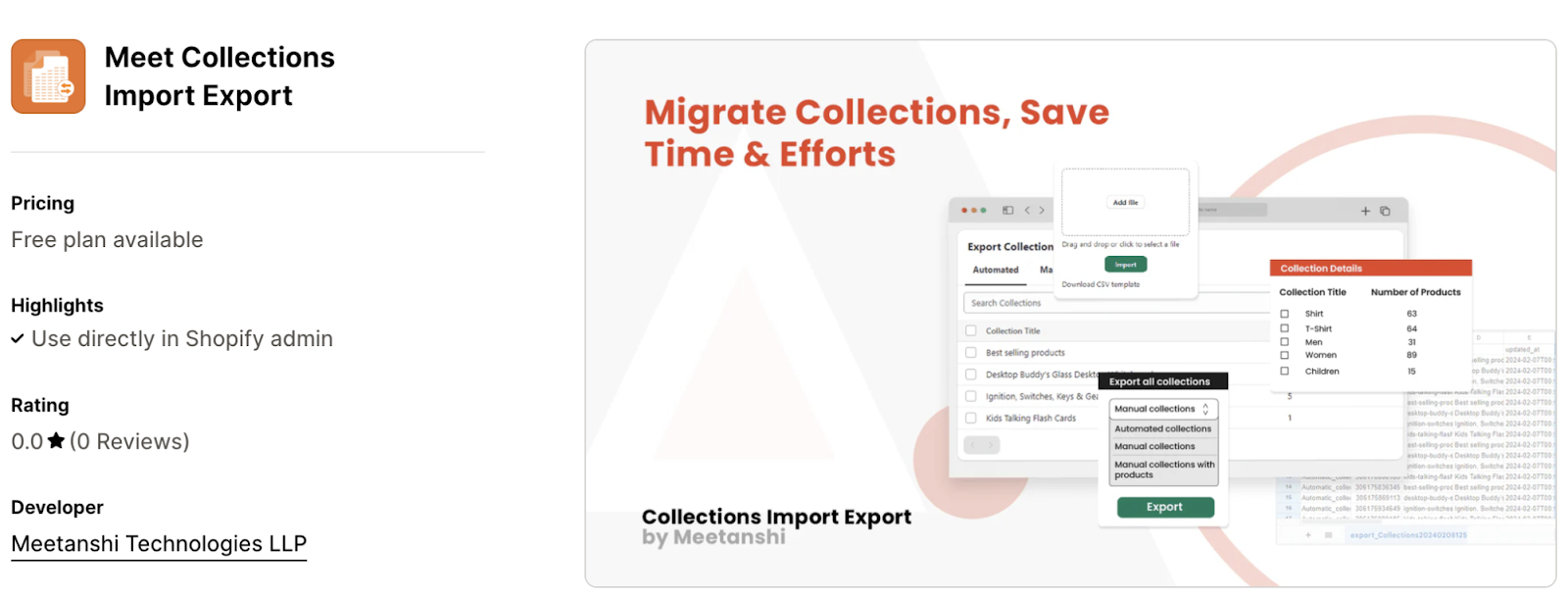
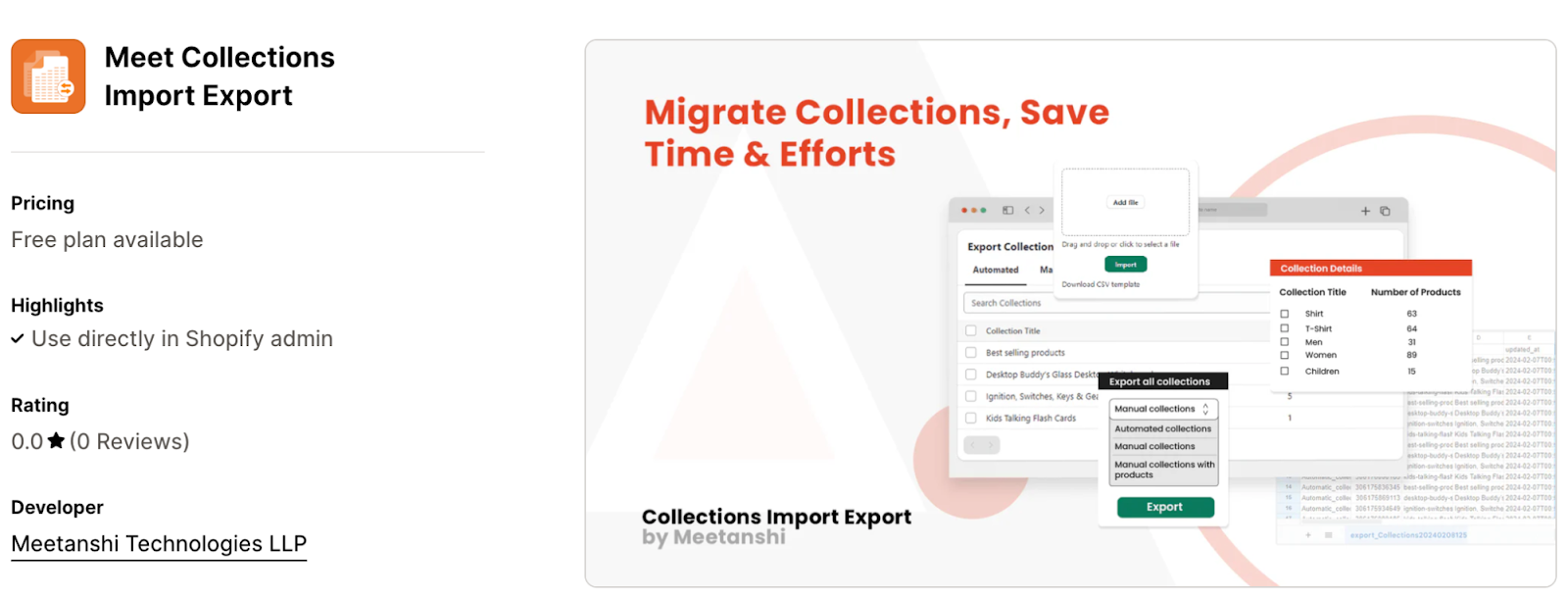
Master Shopify Collections: Easy Import and Export Tips

 Efficiently managing collections in your Shopify store is crucial for organizing products and providing a seamless shopping experience. Whether you're migrating data, updating collections in bulk, or creating backups, importing and exporting collections simplifies these tasks. Here are easy tips to master the process

Utilize Shopify's Built-in Tools: Use Shopify’s admin panel to export collections as a CSV file or import updated data, ensuring a smooth and straightforward process.


Optimize CSV File Formatting: Maintain proper column headers, avoid special characters, and use tools like Excel or Google Sheets for error-free data management.


Use Third-Party Apps: Apps like Matrixify and Exportier provide advanced features for bulk editing, scheduling imports/exports, and managing large-scale collections.


Backup Collection Data: Always export and save your current collection data before making updates to avoid potential data loss or errors.


Test with Sample Files: Run small sample imports first to ensure your CSV is accurate, minimizing risks during large-scale data changes.


Conclusion


Mastering Shopify collections through efficient import and export methods saves time and streamlines store management. By using Shopify’s tools and leveraging third-party apps, you can easily update, migrate, or back up your collection data with confidence.

For a detailed blog:https://meetanshi.com/blog/import-export-collections-in-shopify/


Magento 2 Quote Customization: Removing Payment Options with JavaScript

 Customizing the quote process in Magento 2 is essential for tailoring the shopping experience to meet your business needs. One powerful customization is removing specific payment options from a quote dynamically using JavaScript. This allows you to control payment availability based on custom conditions such as cart contents, customer groups, or shipping regions.


Understand Magento 2 Quote Flow: Payment methods in Magento 2 are loaded dynamically based on cart data and customer details, making it easy to manipulate them with JavaScript.


Identify Payment Methods: Locate the unique method codes of payment options you want to remove by inspecting the checkout page's HTML structure.


Use JavaScript for Removal: Implement a custom JavaScript file to dynamically hide or disable selected payment methods during the quote process.


Add Conditional Logic: Enhance flexibility by setting conditions, such as hiding payment methods based on cart total, customer group, or shipping region.


Integrate and Test: Include the JavaScript file in the checkout page, clear the cache, and test the functionality to ensure the changes work as intended.


Conclusion

Removing payment methods from Magento 2 quotes using JavaScript provides flexibility to optimize the checkout process for your store’s requirements. With this customization, you can enhance user experience, streamline payment options, and maintain full control over the checkout process.


For a detailed blog :https://meetanshi.com/blog/add-shopify-product-description-read-more-tag/


How to Dynamically Remove Payment Methods Using JavaScript in Magento 2


In Magento 2, customizing the checkout process is essential to provide a seamless and user-friendly experience. One useful customization is the ability to dynamically remove certain payment methods based on specific conditions, such as customer location, cart contents, or order total. This can be achieved using JavaScript to manipulate the payment methods during checkout dynamically


Understand the Magento 2 Checkout Flow: Familiarize yourself with how payment methods are loaded dynamically based on cart data and shipping information in Magento 2. This helps identify the correct spots to apply custom logic.


Use JavaScript to Target Payment Methods: Identify specific payment methods using their data-method attribute in the HTML structure, which helps target them for removal.


Create a Custom JavaScript File: Write custom JavaScript that will execute on the checkout page to remove or disable specific payment methods using the payment-method-list model.


Conditionally Remove Payment Methods: Add conditions, like cart total or customer group, to remove payment methods only when certain criteria are met, ensuring flexibility in checkout options.


Include the JavaScript File in the Checkout Page: Add the custom JavaScript file to the checkout page by updating the requirejs-config.js file or creating a custom module for easy integration.


Test the Changes: Clear the cache, test the functionality, and ensure the payment methods are removed correctly based on your defined conditions.


Fallback and Error Handling: Provide feedback to users if payment methods are removed, and ensure that the checkout process remains smooth and informative.


Conclusion

Dynamically removing payment methods using JavaScript in Magento 2 gives you full control over the checkout process, allowing you to create customized and flexible conditions for when and how certain payment options are made available. Whether it’s based on cart value, customer information, or shipping methods, this approach enhances the overall shopping experience and can help streamline the checkout process, increasing conversions and customer satisfaction.


For a detailed Blog :https://meetanshi.com/blog/how-to-remove-payment-method-from-quote-using-js/


Wednesday, November 13, 2024

Top Features to Look for in a Shopify Collection Manager App

 Shopify collection manager apps are essential tools for store owners who want to organize, display, and manage their products efficiently. These apps offer advanced features to streamline product categorization, improve customer navigation, and enhance the shopping experience. If you're in the market for a Shopify collection manager app, here are the top features you should look for to ensure you choose the best one for your store in 2024.


Bulk Management and Custom Collections

Easily manage multiple products at once, saving time on updates. Create both manual and automated collections based on product attributes for greater efficiency.


User-Friendly Sorting and Customization

Drag-and-drop functionality allows you to reorder products quickly, while customizable collection pages help align with your store’s branding and enhance visual appeal.


Advanced Filtering and SEO Optimization

Enable advanced filtering for improved customer navigation and ensure collections are SEO-optimized for better visibility in search engines.


Analytics and Reporting

Track collection performance, customer behavior, and sales trends with built-in analytics, providing insights to help optimize your store’s offerings.


Mobile-Friendly and Seamless Integration

Ensure the app is mobile-responsive for on-the-go management and integrates smoothly with other Shopify apps for enhanced store functionality.


Conclusion

Choosing the right Shopify collection manager app is vital to organizing your products and providing a seamless shopping experience for your customers. 

For a detailed blog: https://meetanshi.com/blog/best-shopify-collection-manager-apps/

Key Differences Between Magento PWA and Hyvä Themes: A Detailed Comparison


Choosing the right theme for your Magento store is crucial for optimizing performance, enhancing user experience, and achieving business goals. Magento PWA (Progressive Web Application) and Hyvä are two popular choices, each with unique strengths and use cases. This blog explores the key differences to help you decide which theme is better suited for your e-commerce store.


When to Choose Magento PWA


Magento PWA is the right choice if your business prioritizes mobile-first functionality, global reach, and advanced features like offline browsing and push notifications. It’s best for large-scale e-commerce stores targeting mobile shoppers and requiring app-like experiences.


When to Choose Hyvä Themes

Hyvä Themes are ideal for businesses focusing on speed, simplicity, and cost-effective development. It’s a great fit for stores looking for a modern, lightweight front-end solution that enhances user experience and SEO performance without the complexity of PWA.


Conclusion


Both Magento PWA and Hyvä Themes are excellent options, but the best choice depends on your business goals. Magento PWA excels in providing a robust, app-like experience for mobile-first audiences, while Hyvä Themes prioritize performance, simplicity, and cost-efficiency. Consider your store’s size, target audience, and desired functionality to make an informed decision.


For a detailed blog:https://meetanshi.com/blog/magento-pwa-vs-hyva/

How to Show Discount Code Option Before Checkout in Shopify

 Shopify store owners often look for ways to provide a seamless shopping experience, and one common feature customers appreciate is the ability to enter a discount code before reaching the checkout page. By displaying the discount code field earlier, such as in the cart page, you can enhance user convenience, boost conversions, and reduce cart abandonment. Here’s a guide on how to achieve this in Shopify.


Why Display a Discount Code Option Before Checkout?


Showing the discount code field before checkout provides several key benefits. It enhances the user experience by allowing customers to apply discounts directly on the cart page, eliminating the need to navigate to the checkout. This approach also promotes transparency, as shoppers can immediately see the discount applied and the updated total, fostering trust. Additionally, it helps reduce cart abandonment, as customers are less likely to leave the checkout process to search for discount codes elsewhere, ensuring a smoother and more seamless purchasing journey.


Conclusion

Displaying the discount code option before checkout in Shopify can significantly improve the customer experience and increase conversion rates. Whether you use built-in features, custom code, or a third-party app, implementing this feature ensures transparency and convenience for your shoppers. By making discounts easy to apply, you can encourage more purchases and reduce friction in the buying process.


 For a detailed blog:https://meetanshi.com/blog/shopify-enter-discount-code-before-checkout/

Step-by-Step Guide to Creating a Hyvä Child Theme in Magento 2

 Hyvä Themes is a modern, fast, and performance-oriented theme for Magento 2 that focuses on simplicity and speed. It provides a clean and minimalistic approach, enhancing both the frontend and backend user experience. Creating a child theme based on Hyvä allows you to maintain customizations while ensuring easy updates. This guide will walk you through the process of creating a Hyvä child theme in Magento 2.


Why Create a Hyvä Child Theme?


Creating a child theme in Magento 2 using Hyvä provides key advantages. It allows customization flexibility, enabling you to modify design elements without altering the core theme. The child theme ensures easy updates, as customizations won’t be overwritten when the parent theme is updated. Additionally, it promotes maintainable code, keeping customizations separate from the core theme, making your store easier to manage and update without conflicts.


Conclusion

Creating a Hyvä child theme in Magento 2 is a straightforward process that allows you to customize your store without modifying the core theme. By following these steps, you can easily maintain a secure and optimized store while implementing your unique design and functionality. With the right structure in place, you’ll be able to manage customizations efficiently, ensuring that your Magento store remains flexible and up-to-date.


REFERENCE:

https://magentoexpertforum.com/showthread.php/36974-Step-by-Step-Guide-to-Creating-a-Hyv%C3%A4-Child-Theme-in-Magento-2                                                                                                                                                                                                                    

https://meetanshiblog.quora.com/Step-by-Step-Guide-to-Creating-a-Hyv%C3%A4-Child-Theme-in-Magento-2-Hyv%C3%A4-Themes-is-a-modern-fast-and-performance-oriented                                                                                                                                                                                                                      

https://in.pinterest.com/pin/833377106080290212                                                                                                                                                                                                                       

https://viesearch.com/21z7e/step-by-step-guide-to-creating-a-hyv-child-theme-in-magento-2                                                                                                                                                                                                                     

https://list.ly/i/10363728                                                                                                                                                                                                                            

https://www.patreon.com/posts/step-by-step-to-115905736                                                                                                                                                                                                                                                                                                                                                                                                                      

https://ko-fi.com/meetanshi/gallery#galleryItemView                                                                                                                                                                                                                    

https://flipboard.com/@Meetanshi2019/-how-to-create-a-hyv-child-theme-in-mage/a-UUbGwp0oS9611AbC5u2PwA%3Aa%3A3219892375-2f3d0c1464%2Fmeetanshi.com                                                                                                                                                                                                                     

https://adfty.biz/technology/step-by-step-guide-to-creating-a-hyvae-child-theme-in-magento-2/                                                                                                                                                                                                                

https://www.scoop.it/topic/magento-2-extensions-by-meetanshi-4/p/4162317388/2024/11/13/how-to-create-a-hyva-child-theme-in-magento-2                                                                                                                                                                                                                          

https://meetanshi.wordpress.com/2024/11/13/step-by-step-guide-to-creating-a-hyva-child-theme-in-magento-2/                                                                                                                                                                                                                               

https://meetanshi.blogspot.com/2024/11/step-by-step-guide-to-creating-hyva.html                                                                                                                                                                                                                        


http://637c59844644b.site123.me/                                                                                                                                                                                                                       

https://www.anibookmark.com/site/stepbystep-guide-to-creating-a-hyv-child-theme-in-magento-2-ab1832619.html                                                                                                                                                                                                                               


Get more of our update !