What's New

Instagram

About Me

Photo Profile
Meetanshi Architecture Designer

Meetanshi is found based on providing the best Magento Extensions and Customized eCommerce Business Solutions perfected to the users’ needs. Our Happy users make us Happy. Complete satisfaction to our clients is what drives and motivates us to work hard. Read More

Tuesday, December 31, 2024

How to Market Your Shopify Store in India: Tips for Beginners

 Launching a Shopify store in India is an exciting journey, but without effective marketing, your efforts can fall short. As a beginner, knowing the right strategies to reach potential customers is key to growing your business. In this blog, we will walk you through some essential marketing tips to help you successfully promote your Shopify store in India.

Understand Your Target Audience: Identify your ideal customer based on factors like age, location, and shopping habits to tailor your marketing efforts effectively.


Optimize Your Store for Mobile Devices: Ensure your Shopify store is mobile-friendly, as most Indian consumers shop on smartphones.


Leverage Social Media Marketing: Use Instagram, Facebook, and influencers to run targeted ads and engage with potential customers.


Offer Local Payment Options: Integrate popular Indian payment methods like UPI, Net banking, and Cash on Delivery to enhance convenience.


Focus on SEO: Optimize your website for search engines with relevant keywords to increase organic traffic and visibility.


Run Promotions and Discounts: Attract customers with seasonal discounts, festival sales, and coupon codes to boost sales.


Build an Email List: Use email marketing to send personalized offers and updates, building long-term relationships with customers.


Invest in Google Ads: Run targeted ads on Google to drive relevant traffic to your Shopify store and increase conversions.


Provide Excellent Customer Service: Offer fast support, easy returns, and timely delivery to ensure customer satisfaction and repeat business.


For a detailed blog :https://meetanshi.com/blog/how-to-start-a-shopify-store-in-india/
How to Track Snapchat Conversions with GTM and Snapchat Pixel

 Tracking conversions is an essential step to measure the effectiveness of your Snapchat ad campaigns. By setting up the Snapchat Pixel via Google Tag Manager (GTM), you can gather valuable data, optimize your ads, and increase your return on investment. This guide will walk you through the process of integrating Snapchat Pixel with GTM for effective conversion tracking.


What is Snapchat Pixel?


Snapchat Pixel is a piece of code that you place on your website to track actions visitors take after clicking on your Snapchat ads. It enables you to monitor conversions, build retargeting audiences, and optimize ad delivery based on the data collected.


Why Use GTM for Snapchat Pixel Setup?


Google Tag Manager simplifies the process of managing and deploying tracking codes on your website without editing the site's code directly. By using GTM, you can set up Snapchat Pixel efficiently, reduce manual errors, and manage all your tags in one platform.


Conclusion

By integrating Snapchat Pixel with GTM, you can effectively track conversions and gain valuable insights into your Snapchat ad performance. The data collected will help you make informed decisions, optimize your campaigns, and improve your ROI. Follow this step-by-step guide to set up your tracking system seamlessly and start leveraging the power of Snapchat Pixel today!

For a detailed blog:https://meetanshi.com/blog/how-to-set-up-snapchat-pixel-tracking-via-gtm/

How to Track Snapchat Conversions with GTM and Snapchat Pixel

 Tracking conversions is an essential step to measure the effectiveness of your Snapchat ad campaigns. By setting up the Snapchat Pixel via Google Tag Manager (GTM), you can gather valuable data, optimize your ads, and increase your return on investment. This guide will walk you through the process of integrating Snapchat Pixel with GTM for effective conversion tracking.


What is Snapchat Pixel?


Snapchat Pixel is a piece of code that you place on your website to track actions visitors take after clicking on your Snapchat ads. It enables you to monitor conversions, build retargeting audiences, and optimize ad delivery based on the data collected.


Why Use GTM for Snapchat Pixel Setup?


Google Tag Manager simplifies the process of managing and deploying tracking codes on your website without editing the site's code directly. By using GTM, you can set up Snapchat Pixel efficiently, reduce manual errors, and manage all your tags in one platform.


Conclusion

By integrating Snapchat Pixel with GTM, you can effectively track conversions and gain valuable insights into your Snapchat ad performance. The data collected will help you make informed decisions, optimize your campaigns, and improve your ROI. Follow this step-by-step guide to set up your tracking system seamlessly and start leveraging the power of Snapchat Pixel today!

For a detailed blog:https://meetanshi.com/blog/how-to-set-up-snapchat-pixel-tracking-via-gtm/

Monday, December 30, 2024

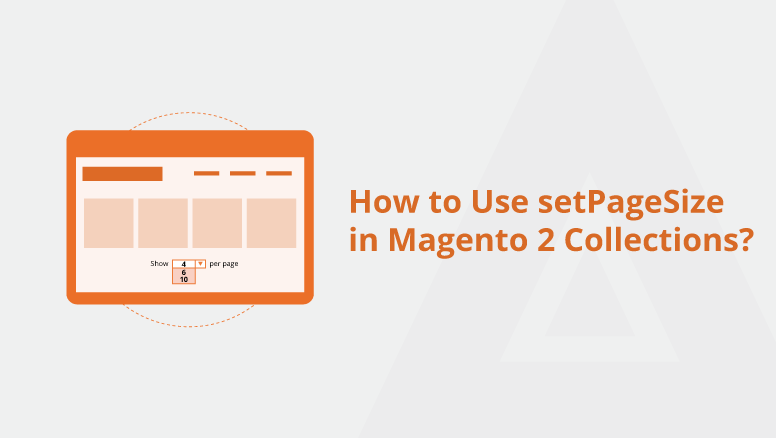
How to Limit Collection Results with setPageSize in Magento 2

 Efficient data handling ensures a seamless shopping experience in your Magento 2 store. When working with collections, limiting the number of results can improve performance and enhance usability. In Magento 2, the setPageSize method is a powerful tool for achieving this.

In this blog, we will walk you through the steps to use setPageSize to limit collection results, discuss its benefits, and share best practices for implementing it effectively.

What is setPageSize in Magento 2?

The setPageSize method is part of Magento 2's collection framework. It allows developers to control the number of items retrieved from a collection. This is especially useful when implementing pagination or displaying a limited number of items, such as featured products, in a block.

Why Use setPageSize?

To use setPageSize, inject the collection class you want to work with into your block, helper, or controller. For example, if you’re working with products, inject the appropriate collection class. Next, use the factory to create a collection instance and retrieve the data. After retrieving the collection, apply the setPageSize method to limit the number of items retrieved. Optionally, if you want to enable pagination, use the setCurPage method to specify the current page.


Conclusion

The setPageSize method is an essential tool for Magento 2 developers who want to optimize data handling and improve store performance. By limiting the number of results in a collection, you can ensure faster load times and a better user experience.

Experiment with setPageSize in your Magento 2 projects to see its benefits firsthand. Remember to follow best practices and adapt the implementation to your specific needs.

If you found this guide helpful, share it with your peers and let us know your thoughts in the comments!

For a detailed blog:https://meetanshi.com/blog/how-to-use-setpagesize-in-magento-2-collections/

How to Use Tailwind.css in Magento 2? – Step-by-step Guide

 Tailwind CSS is a utility-first CSS framework that simplifies styling by providing pre-defined classes. Integrating Tailwind CSS into Magento 2 can enhance the design and performance of your online store. Here’s a step-by-step guide:


Install Tailwind CSS: Install Tailwind CSS using npm and initialize the configuration file.


Integrate Tailwind into Magento 2: Add the compiled Tailwind CSS file to your Magento theme and include it in your layout files.


Configure Tailwind for Magento: Tailwind’s default styles might conflict with Magento’s. Restrict Tailwind’s scope to specific files using the configuration options.


Build Tailwind CSS: Compile the final CSS file for production using Tailwind’s build command.


Apply Tailwind Classes: Use Tailwind’s utility classes in your template files to style your store.


Test and Debug: Ensure all elements appear correctly styled, and check for any conflicts or issues.


Conclusion

Adding a sticky Add to Cart button in Magento 2 enhances your store’s usability and improves conversions. This step-by-step guide will help you 

implement this feature seamlessly. Always test various devices and browsers thoroughly to ensure a consistent user experience.

Additionally, integrating Tailwind CSS allows you to create a modern and responsive design effortlessly. Follow the outlined steps to use Tailwind CSS in Magento 2 and transform the look and feel of your store.


For a detailed blog:https://meetanshi.com/blog/how-to-use-tailwind-css-in-magento-2-step-by-step-guide/


Sunday, December 29, 2024

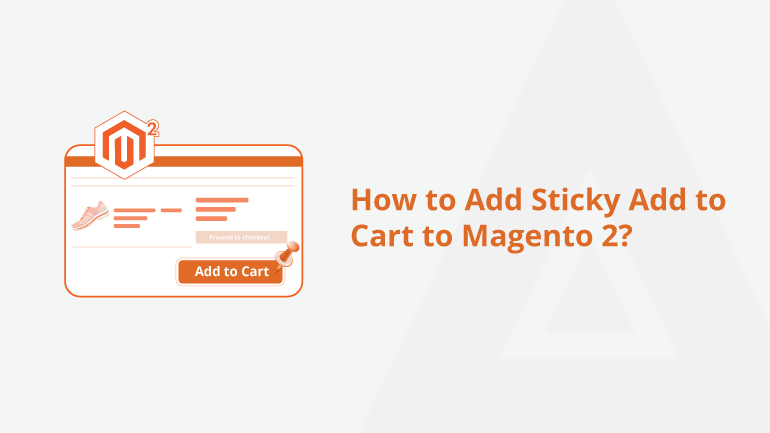
Step-by-Step Guide to Adding Sticky Add to Cart in Magento 2

 A sticky "Add to Cart" button is a powerful feature that enhances user experience and boosts conversions by making it easier for customers to add products to their cart, no matter where they are on a product page. This guide will show you how to add a sticky Add to Cart button in Magento 2.


Steps to Implement Sticky Add to Cart Button

Create a Custom Module: Set up a custom module to make modifications without affecting core files.

Add CSS and JavaScript: Customize the appearance and functionality of the sticky Add to Cart button to suit your store.

Test and Debug: Verify that the button works as expected on product pages.

Optimize for Mobile: Ensure the feature provides a seamless experience on all devices.


Why Add a Sticky Add to Cart Button in Magento 2?

A sticky Add to Cart button keeps the call-to-action visible at all times, encouraging quick decision-making and reducing cart abandonment rates. It also enhances the shopping experience on mobile devices, where navigating lengthy product pages can be cumbersome. This simple yet effective feature can significantly improve the usability and conversion rates of your Magento 2 store.

Conclusion

Adding a sticky Add to Cart button in Magento 2 enhances your store’s usability and improves conversions. This step-by-step guide will help you implement this feature seamlessly. Always test thoroughly on various devices and browsers to ensure a consistent user experience.

For a detailed blog:https://meetanshi.com/blog/how-to-add-sticky-add-to-cart-to-magento-2/

Friday, December 27, 2024

Top Wix SEO Tools and Features to Optimize Your Site in 2025

 Staying ahead in SEO is essential for website success, and Wix continues to innovate with its built-in tools and features. Here are the top 5 Wix SEO tools and features you need to know in 2025


Wix SEO Wiz

What It Does: Wix SEO Wiz is an interactive tool that provides a personalized SEO plan tailored to your site’s goals.

Why It Matters: It helps beginners optimize their site with step-by-step instructions on improving rankings and boosting visibility.

Customizable Meta Tags

What It Does: Allows you to set unique meta titles and descriptions for every page.

Why It Matters: Custom metadata improves click-through rates and ensures search engines index your content correctly.

Advanced URL Customization

What It Does: Lets you create clean, user-friendly URLs.

Why It Matters: Simplified URLs improve user experience and are more appealing to search engines.

Structured Data Markup

What It Does: Allows you to add schema markup to your site.

Why It Matters: Enhances search engine understanding of your content, enabling rich results like FAQs and reviews.

Page Speed Optimization Tools

What It Does: Includes features like image compression and caching to boost site speed.

Why It Matters: Faster loading times improve user experience and search engine rankings.

Conclusion

Wix’s SEO features in 2025 are designed to make optimization accessible and effective for all users. From the beginner-friendly Wix SEO Wiz to advanced tools like structured data, these features empower you to drive traffic and improve rankings. Take advantage of these tools to ensure your site stays competitive in the ever-evolving digital landscape.

For a detailed blog :https://meetanshi.com/blog/wix-seo-features/


Top Challenges of Migrating from WordPress to Wix and How to Overcome Them


Migrating your website from WordPress to Wix can be an exciting step toward simplifying website management and enhancing its design. However, the transition isn’t without its challenges. Here are the top obstacles and actionable solutions:


Content Transfer Difficulties

Challenge: No direct way to transfer all content seamlessly between platforms.

Solution: Use WordPress export tools and Wix's import tools; manually adjust formatting and links.


SEO and URL Structure Changes

Challenge: Different URL structures can disrupt SEO rankings.

Solution: Set up 301 redirects, transfer metadata, and optimize using Wix SEO tools.


Loss of Plugins and Custom Features

Challenge: Many WordPress plugins lack Wix equivalents.

Solution: Identify essential features, find alternatives in Wix App Market, or hire a developer for custom solutions.


Design Limitations


Challenge: Replicating WordPress designs on Wix can be difficult due to template constraints.

Solution: Choose a similar Wix template, use the Wix editor, or hire a designer for customization.


Content and Media Optimization

Challenge: Poorly optimized content and media can slow down the new site.

Solution: Compress images, streamline content, and use Wix’s performance tools to ensure fast loading speeds.


Learning a New Platform

Challenge: Adapting to Wix’s interface can initially slow down your workflow.

Solution: Utilize Wix tutorials, start with a test site, and seek support if needed.


Conclusion


Migrating from WordPress to Wix can be challenging, but careful planning ensures success. Address these challenges proactively for a smooth transition and an optimized site.


For a detailed blog: https://meetanshi.com/blog/how-to-contact-shopify-support/


Get more of our update !