What's New

Instagram

About Me

Photo Profile
Meetanshi Architecture Designer

Meetanshi is found based on providing the best Magento Extensions and Customized eCommerce Business Solutions perfected to the users’ needs. Our Happy users make us Happy. Complete satisfaction to our clients is what drives and motivates us to work hard. Read More

Wednesday, March 5, 2025

How to Optimize Google Business Profile for Local SEO in 2025

 Google Business Profile (GBP) remains a crucial factor for local SEO success in 2025. Optimizing your profi*le helps improve visibility, attract local customers, and boost search rankings. Here’s a step-by-*step guide to maximizing your GBP for better local SEO performance.


Claim and Verify Your Google Business Profile

Claiming and verifying your Google Business Profile is the first step to improving your local SEO. Visit Google Business Profile, claim your business, and complete the verification process. Ensure that all business details, such as name, address, and contact information, are accurate and up-to-date to maintain credibility and consistency across the web.

Optimize Your Business Information

Ensure your business name, address, and phone number (NAP) are consistent across all platforms. Choose the most relevant business categories, add your website URL, and update business hours, including holiday or special event timings, to provide accurate information to potential customers.

Upload High-Quality Photos and Videos

Adding high-resolution images and short videos showcasing your products, storefront, or team can significantly enhance engagement. Regularly updating visuals keeps your profile fresh and appealing, helping attract more local customers.

Manage and Respond to Customer Reviews

Encourage satisfied customers to leave genuine reviews and respond professionally to both positive and negative feedback. Engaging with reviews builds trust and improves your local search ranking, as Google values businesses with active interactions.

Utilize Google Posts for Engagement

Posting updates about promotions, events, or new products keeps your profile active and engaging. Use high-quality images, clear CTAs, and relevant keywords to enhance visibility and encourage customer interactions.

Track Performance and Make Improvements

Use Google Business Profile Insights to analyze search queries, profile views, customer actions, and direction requests. Regularly review and adjust your strategy based on data insights to improve your local SEO effectiveness.


A well-optimized Google Business Profile can significantly impact your local SEO rankings and customer engagement. Stay consistent with updates, interact with customers, and refine your strategy to maximize your local search visibility in 2025.


For detailed blog:https://meetanshi.com/blog/guide-to-local-seo/


Tuesday, March 4, 2025

Shopify Login Demystified: Partner and Admin Access Simplified


Understanding the differences between Shopify's Admin and Partner login portals is essential for effectively managing your online business. This guide simplifies the processes for accessing both, ensuring you can navigate Shopify's platforms with ease.


Shopify Admin Login


The Shopify Admin Dashboard is designed for store owners and their staff to manage daily operations, including product listings, orders, and payments.


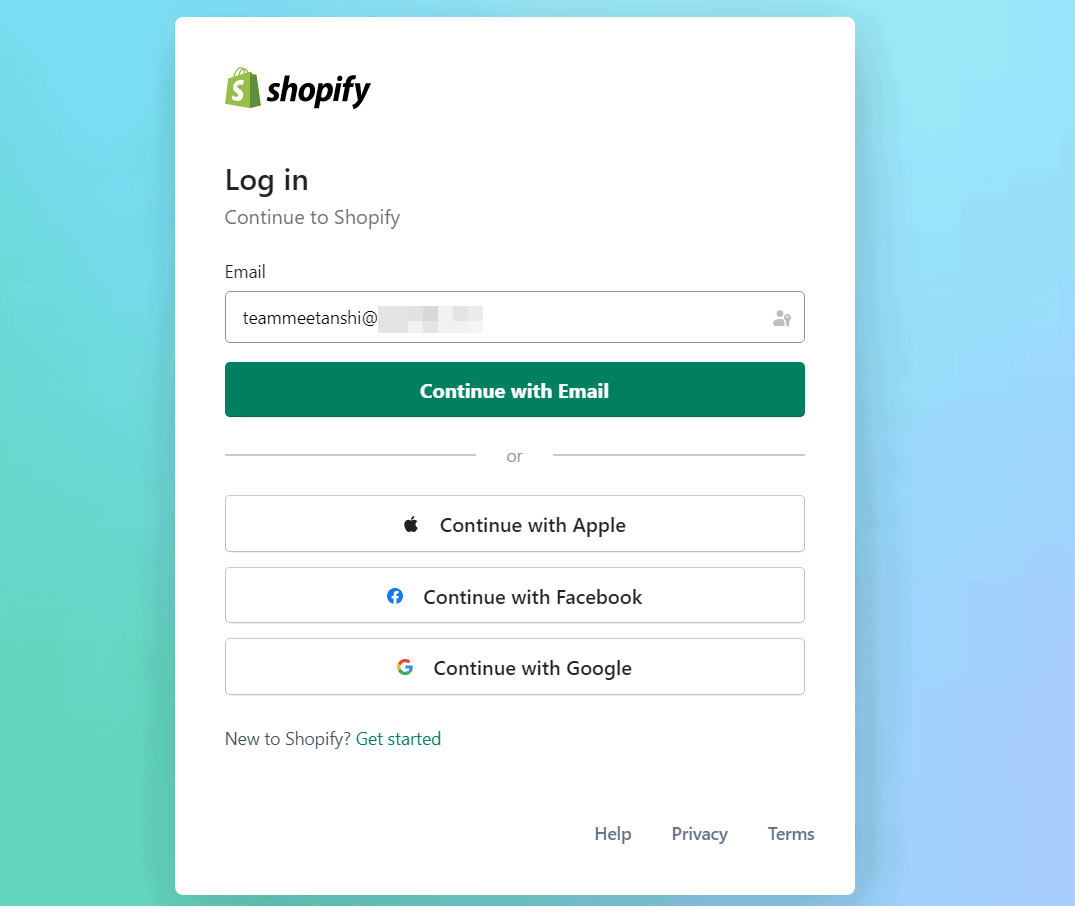
Accessing your Shopify Admin Dashboard is essential for managing your online store's operations, including product listings, orders, and customer interactions. To log in, navigate to the Shopify login page. Enter your store's unique domain (e.g., yourstorename.myshopify.com) and proceed by clicking "Next." Input the email address associated with your Shopify account, followed by your password, and click "Log in." If you enable two-factor authentication, you'll be prompted to enter the verification code sent to your device


Shopify Partner Login:

Accessing the Shopify Partner Dashboard is essential for developers, designers, marketers, and agencies collaborating within the Shopify ecosystem. To log in, navigate to the Shopify Partner portal and click "Log in" at the top-right corner. Enter the email address associated with your Shopify Partner account, followed by your password, and click "Log in." If two-factor authentication is enabled, you'll be prompted to enter the verification code sent to your device. 


By following these steps, you can seamlessly access and manage your Shopify platforms, ensuring efficient store operations and collaborations.


For a detailed blog : https://meetanshi.com/blog/shopify-login/

How to Display Product Thumbnails in Magento 2 Admin Grid

 Magento 2 provides a highly customizable admin panel, allowing developers to enhance the UI grid to improve usability. One such customization is adding product thumbnails to the admin product grid. This feature makes it easier for store admins to identify products visually. In this blog, we’ll guide you through the process of displaying product thumbnails in the Magento 2 admin grid.


Why Add Product Thumbnails to Magento 2 Admin Grid?

Adding product thumbnails to the Magento 2 admin grid enhances usability by allowing store admins to quickly identify products without needing to check detailed descriptions. This customization improves the overall admin experience, making product management more efficient and intuitive. By having a visual representation of each product, admins can save time, as they no longer need to open individual product details to verify images. This small but effective enhancement significantly streamlines workflow, especially for stores with large inventories.


Adding product thumbnails to the Magento 2 admin grid enhances the efficiency of product management. It allows store admins to identify products visually, reducing the need for unnecessary clicks. By following the steps outlined in this guide, you can seamlessly integrate this feature into your Magento 2 store.


For a detailed blog: https://meetanshi.com/blog/add-image-thumbnail-column-in-magento-2-admin-ui-grid/

Thursday, February 27, 2025

SEO Tactics to Dominate Seasonal Sales & Pop-Up Events

 Seasonal sales and pop-up events are golden opportunities for e-commerce businesses to boost revenue, attract new customers, and clear inventory. However, without a strong SEO strategy, your promotions may go unnoticed. This guide will outline proven SEO tactics to maximize visibility and conversions for your recurring e-commerce events.


Understanding Seasonal Sales & Pop-Up SEO

Seasonal SEO is a targeted strategy that optimizes content for specific times of the year when customer demand peaks. Pop-up event SEO, on the other hand, focuses on short-term but high-impact marketing efforts. The key is to ensure search engines index your pages ahead of time and that they maintain authority for future recurring events

Key SEO Tactics for Seasonal Sales & Pop-Up Events


To optimize SEO for seasonal sales and pop-up events, businesses should create dedicated landing pages in advance, use seasonal keywords, and implement schema markup for better search visibility. Crafting engaging content like blog posts and gift guides can attract organic traffic, while optimizing for local and mobile search ensures greater reach. Leveraging countdown timers, internal linking, and external backlinks strengthens rankings. Additionally, social media and email marketing help drive traffic, and monitoring performance with Google Analytics allows for real-time adjustments to improve effectiveness.


Conclusion

A well-executed SEO strategy for seasonal sales and pop-up events can significantly boost visibility, engagement, and revenue. By planning ahead, optimizing content, and leveraging technical SEO, your e-commerce store can dominate seasonal search results and attract high-intent shoppers year after year.

For a detailed blog:https://meetanshi.com/blog/seo-strategy-for-recurring-e-commerce-events-seasonal-sales-pop-store/

Wednesday, February 26, 2025

How to Optimize for Google’s Featured Snippets: A Complete Guide

 Google’s Featured Snippets provide a powerful way to enhance search visibility and drive organic traffic. By appearing at the top of search results, these snippets improve click-through rates and establish authority. In this guide, we will explore effective strategies to optimize your content for Featured Snippets.


Steps to Optimize for Featured Snippets

To optimize for Featured Snippets, start by identifying snippet opportunities using keyword research tools to target long-tail, question-based queries. Structure your content with clear headings, bullet points, and concise answers within 40-60 words to increase readability. Answer common user questions directly and consider adding an FAQ section for better snippet targeting. Enhance on-page SEO with schema markup, mobile-friendly design, and fast-loading pages. Focus on high-quality content that is well-researched and engaging, incorporating images, videos, and infographics where relevant. Finally, monitor your snippet performance using Google Search Console and refine your strategy based on emerging search trends.


Why Featured Snippets Matter for SEO

Featured Snippets play a crucial role in SEO by significantly improving search visibility, driving more organic traffic, and enhancing user experience. By securing a Featured Snippet, your content gains the top position on search engine results pages (SERPs), increasing exposure and credibility. This prime placement leads to higher click-through rates (CTR) as users are more likely to engage with the content that Google highlights. Additionally, Featured Snippets contribute to voice search optimization, as many voice assistants rely on snippet content to answer user queries. Businesses that successfully optimize for snippets establish themselves as industry authorities, building trust with their audience while outperforming competitors in search rankings.


Conclusion

Optimizing for Google’s Featured Snippets is a valuable SEO strategy that enhances visibility and drives traffic. By following structured content practices, answering common queries, and maintaining high-quality content, businesses can increase their chances of securing the coveted snippet position.

For a detailed blog:https://meetanshi.com/blog/featured-snippets/

How Chatbots Are Reshaping Customer Interactions – Must-Know Stats

 In today’s digital landscape, chatbots have become a game-changer in customer service, e-commerce, and marketing. With AI and machine learning advancements, chatbots are transforming how businesses interact with customers, offering instant support, personalized experiences, and cost-effective solutions. This blog explores key statistics that highlight the growing impact of chatbots on customer interactions in 2025


The Growing Popularity of Chatbots

The chatbot market is expected to reach $15.5 billion by 2025, growing at a CAGR of 22.5%. Consumers increasingly prefer chatbots, with 69% favoring them for quick brand communication. Additionally, 80% of businesses plan to deploy chatbots by 2025 to enhance customer support and streamline interactions.


Enhancing Customer Experience with AI-Powered Chatbots

Chatbots offer 24/7 availability, handling queries at any time and reducing the need for human agents. They provide instant responses, typically within five seconds, improving customer satisfaction. Moreover, 75% of consumers appreciate chatbots that remember past interactions, enhancing personalization and user experience.


Cost and Efficiency Benefits for Businesses

Businesses save over $8 billion annually using chatbots in customer service by reducing operational costs. Automating customer queries with chatbots decreases the workload for support teams by 30%, allowing human agents to focus on complex tasks. Additionally, chatbots contribute to a 67% increase in lead conversion rates, helping businesses generate more revenue.


Chatbots in E-commerce and Retail

Chatbots play a crucial role in e-commerce and retail by assisting customers in buying. Studies show that 55% of shoppers are more likely to complete a purchase when aided by a chatbot. They also improve cart recovery rates by sending timely reminders and offers, while AI-driven recommendations boost order values by 20% through personalized product suggestions.


Future Trends in Chatbot Technology

Advancements in AI and natural language processing (NLP) will make chatbot interactions more human-like. By 2025, 40% of chatbot interactions are expected to be voice-based, increasing accessibility and user convenience. Furthermore, businesses are integrating chatbots with social media, messaging apps, and websites to provide seamless omnichannel customer support.


Conclusion

Chatbots are revolutionizing customer interactions, offering businesses a cost-effective way to enhance engagement, drive sales, and improve customer satisfaction. As AI technology continues to advance, chatbots will become even more sophisticated, making them an essential tool for businesses across various industries.


For a detailed blog: https://meetanshi.com/blog/chatbot-statistics/


Tuesday, February 25, 2025

How to Migrate from Wix to Shopify: A Step-by-Step Guide

 Switching from Wix to Shopify can be a game-changer for your online business, providing more flexibility, better scalability, and a wide range of eCommerce features. This guide will walk you through the step-by-step process of migrating from Wix to Shopify without losing important data.

Why Move from Wix to Shopify?

Many merchants choose to move from Wix to Shopify due to Shopify’s superior eCommerce capabilities, scalability, and ease of use. Shopify is designed specifically for online stores, offering advanced tools for product management, inventory tracking, and checkout customization. It also has a robust app marketplace, allowing users to extend their store’s functionality with powerful integrations. 

Unlike Wix, Shopify is built for scalability, efficiently handling high-traffic stores and growing businesses. Additionally, Shopify provides better SEO tools, helping merchants optimize their stores for search engines and drive more organic traffic. If you’re looking for a more flexible platform with enhanced eCommerce performance, Shopify is a great choice.


Migrating from Wix to Shopify can seem challenging, but following these steps ensures a smooth transition. Shopify’s powerful tools, scalability, and flexibility make it an excellent choice for growing your eCommerce business.


For a detailed blog:https://meetanshi.com/blog/transfer-from-wix-to-shopify/

How to Add Schema Markup in Shopify for Better SEO – A Step-by-Step Guide

 Schema markup is a powerful SEO tool that helps search engines understand the content on your Shopify store more effectively. By implementing structured data, you can enhance your search results with rich snippets, improve visibility, and increase click-through rates. Whether you want to display product details, reviews, FAQs, or business information, adding schema markup to Shopify can give your store an SEO advantage.

In this guide, we’ll cover schema markup, why it’s important for Shopify SEO, and how to add it step by step.


What is Schema Markup?

Schema markup, also known as structured data, is a type of code that helps search engines better interpret the content of a webpage. It enables search engines to display enhanced search results, such as product prices, ratings, breadcrumbs, FAQs, and business details. For Shopify store owners, this means better visibility and higher engagement in search engine results pages (SERPs).

Why is Schema Markup Important for Shopify SEO?

Schema markup is essential for Shopify SEO as it helps search engines understand your content and display rich snippets like product ratings, prices, and availability. This improves visibility, increases click-through rates, and enhances user experience. It also supports local SEO by showcasing business details, making it easier for customers to find your store. Properly implemented schema markup boosts search rankings and ensures better indexing of your pages.


Adding schema markup in Shopify is a simple yet effective way to improve SEO, enhance search visibility, and attract more clicks. By implementing structured data correctly, you can ensure that your store stands out in search results and provides valuable information to potential customers. Follow the steps outlined in this guide, monitor your schema performance, and stay updated with best practices to maximize your SEO benefits.


REFERENCE:


Get more of our update !