What's New

Instagram

About Me

Photo Profile
Meetanshi Architecture Designer

Meetanshi is found based on providing the best Magento Extensions and Customized eCommerce Business Solutions perfected to the users’ needs. Our Happy users make us Happy. Complete satisfaction to our clients is what drives and motivates us to work hard. Read More

Wednesday, March 26, 2025

How to Add an Age Verification Popup in Shopify [With Code]

 Ensuring that your Shopify store complies with age restrictions is crucial, especially if you sell products like alcohol, tobacco, or adult content. Adding an age verification popup is a simple yet effective way to restrict access to users below a certain age. In this guide, we’ll walk you through adding an age verification popup to your Shopify store using custom code, without needing an app.


Why Use an Age Verification Popup in Shopify?


An age verification popup helps prevent underage visitors from accessing restricted content, ensuring legal compliance in your industry. It improves user experience by allowing quick verification and reduces the risks of penalties for selling age-restricted products to minors.


How to Add an Age Verification Popup in Shopify


Step 1: Edit Your Shopify Theme


To manually add an age verification popup, go to Shopify Admin, click on Online Store, then Themes. Find your active theme, click on Actions, and select Edit Code.


Step 2: Add the Age Verification Code


Next, create a new snippet for the popup. In the Edit Code section, go to Snippets, click Add a new snippet, and name it age-verification. Add your age verification HTML structure, styling, and JavaScript logic.


Step 3: Include the Snippet in Your Theme


Open the theme.liquid file located under the Layout folder, find the <body> tag, and include your new snippet. Once done, click Save.


Step 4: Test the Age Verification Popup


To ensure the popup is working correctly, open your Shopify store in incognito mode. If the popup appears and disappears after confirming age, it’s functioning properly. If the user clicks “No,” they should be redirected away from the site.


This method provides a simple, no-app way to add an age verification popup to your Shopify store. It ensures compliance with age-restricted product policies while maintaining a seamless user experience. If you want to customize the popup further, you can modify the CSS styles or change the JavaScript functionality. Need more Shopify tips? Stay tuned for our latest guides!


For a detailed blog:https://meetanshi.com/blog/shopify-age-verification-popup-code/

How to Add a Popup Modal in Hyvä Theme – Step-by-Step Guide


Introduction

Hyvä Theme is known for its performance and flexibility in Magento 2, providing a modern frontend experience. One common requirement in eCommerce stores is to display a popup modal for promotions, newsletters, or important announcements. In this guide, we'll show you how to add a custom popup modal in Hyvä Theme using Alpine.js and Tailwind CSS.


Steps to Add a Popup Modal

To add a popup modal in Hyvä Theme, start by creating a new template file in your Hyvä child theme under the Magento_Theme directory. This template should include a modal container with a button to trigger its visibility. Next, include the template in the default.xml layout file, ensuring that the modal loads globally across all pages. After making these changes, clear the Magento cache to apply them and test the functionality by loading the frontend and interacting with the modal.

For further customization, consider enhancing the modal with animations, different triggers such as page load or exit intent, and integrating forms for user engagement. You can add a fade-in effect for a smoother appearance, include a newsletter sign-up form, or modify the styling to match your store's branding. These enhancements ensure a more dynamic and interactive shopping experience for your customers.

Conclusion

Adding a popup modal in Hyvä Theme is simple with Alpine.js and Tailwind CSS. Whether it's for promotions, newsletter sign-ups, or special announcements, modals help improve user engagement. By following the steps above, you can quickly integrate a modal into your Magento 2 store without using heavy JavaScript libraries.

For a detailed blog :https://meetanshi.com/blog/svg-icons-heroicons-in-hyva-theme/


Tuesday, March 25, 2025

How to Add and Customize Heroicons (SVG Icons) in Hyvä Theme

 Hyvä Theme is gaining popularity for its speed and flexibility in Magento 2 stores. One of its key features is SVG icons, particularly Heroicons, for a clean and modern UI. In this guide, we'll walk you through how to add and customize Heroicons in Hyvä Theme.


What Are Heroicons?

Heroicons is an open-source collection of SVG icons designed for simplicity and scalability. They are widely used in Hyvä Theme to maintain a sleek and lightweight frontend.


Adding Heroicons to Hyvä Theme

Step 1: Locate the Icon Directory

Hyvä Theme stores its SVG icons in the svg/ directory inside Hyva_Icons. This directory contains the default SVG icons used by the theme.

Step 2: Add a New Heroicon

To add a new Heroicon:

Download the required icon from the Heroicons library.

Copy the downloaded SVG file to the svg/ directory inside Hyva_Icons.

Rename the SVG file as per your preference, ensuring it follows a consistent naming convention.


Step 3: Reference the Icon in Templates

Once the icon is added, it can be referenced within the theme’s templates to display it where needed.

Customizing Heroicons in Hyvä Theme


Method 1: Modify the SVG Code

You can directly edit the SVG file inside the svg/ directory to customize its appearance, such as changing colors, strokes, or paths.

Method 2: Use Tailwind Classes

Since Hyvä Theme is built with Tailwind CSS, you can modify the icon’s appearance dynamically by applying different styling classes.

Method 3: Override Icons in Child Theme

To prevent overwriting customizations when updating Hyvä Theme, you can store modified icons in a child theme:

Create a web/svg/ directory inside your child theme.

Copy the modified SVG file into this directory.

Hyvä will automatically prioritize the child theme icons over the default ones.


Conclusion

Adding and customizing Heroicons in Hyvä Theme is straightforward and enhances your store’s UI. By following these steps, you can easily integrate, modify, and style SVG icons for a more personalized user experience.

  
For a detailed blog :https://meetanshi.com/blog/svg-icons-heroicons-in-hyva-theme/

Step-by-Step Guide: Creating a Custom Product Slider in Hyvä Theme

 Introduction


The Hyvä theme is gaining popularity among Magento 2 store owners for its speed, performance, and flexibility. One common customization store owners seek is adding a custom product slider to showcase featured or best-selling products effectively. In this guide, we will walk you through creating a custom product slider in the Hyvä theme.


Step 1: Create a Custom Module


We need to create a custom module to integrate the product slider.


Step 2: Create the Product Slider Block


To fetch products dynamically, create a Block class.


Step 3: Create the Frontend Template


Design the product slider template to display the products in a visually appealing slider format.


Step 4: Include Swiper.js for Slider Functionality


Implement Swiper.js or another JavaScript slider library to enable smooth transitions and navigation within the product slider.


Step 5: Deploy and Test


Run necessary Magento commands to deploy changes and test the product slider on your store’s frontend.


Conclusion


By following these steps, you have successfully created a custom product slider in the Hyvä theme for Magento 2. This feature enhances user experience and boosts conversions by showcasing products in an engaging manner. You can further customize the slider by modifying the JavaScript settings, styling, or integrating additional product filters

For a detailed blog:https://meetanshi.com/blog/how-to-create-custom-product-slider-in-hyva-theme/

Sunday, March 23, 2025

How to Choose the Best Fast Magento 2 Theme for Your Store in 2025

 Speed is a critical factor when selecting a Magento 2 theme. A fast theme enhances user experience, improves SEO rankings, and boosts conversion rates. With numerous options available, choosing the best fast Magento 2 theme in 2025 requires careful consideration of several factors. This guide will help you make an informed decision.

Speed is a critical factor when selecting a Magento 2 theme as it enhances user experience, improves SEO rankings, and boosts conversions. To choose the best fast Magento 2 theme in 2025, prioritize lightweight themes with optimized code, minified CSS/JavaScript, lazy loading, and efficient database queries. Test demo versions using Google PageSpeed Insights to check Core Web Vitals like LCP, FID, and CLS for performance assurance. Ensure the theme is regularly updated and compatible with Magento 2’s latest version to prevent security issues. Mobile responsiveness and AMP support are crucial for a seamless mobile shopping experience. Opt for themes with built-in performance optimization, including server-side rendering, WebP image support, AJAX-based search, and CDN compatibility. select a theme that balances speed, functionality, and design for long-term success.


Conclusion

Choosing the best fast Magento 2 theme in 2025 requires a balance between performance, design, and functionality. Prioritize lightweight themes with high Core Web Vitals scores, built-in optimizations, and seamless mobile responsiveness. Testing, reviews, and updates are key to ensuring long-term performance and success for your Magento 2 store.


For a detailed blog:https://meetanshi.com/blog/what-is-the-fastest-magento-2-theme/

Friday, March 21, 2025

Magento 2 Hyvä Theme Setup: A Step-by-Step Guide for Developers

 Magento 2’s default Luma theme has served its purpose, but it often falls short in terms of performance and modern development standards. Hyvä is the revolutionary Magento 2 frontend theme that dramatically improves page speed, developer experience, and overall store performance. If you're looking to re-platform your Magento store with Hyvä, this guide will walk you through the setup process step by step.


Why Choose Hyvä for Magento 2?

Hyvä is an innovative frontend theme for Magento 2 that offers exceptional performance and a modern development experience. Unlike the traditional Luma theme, which is weighed down by complex JavaScript dependencies like Knockout.js and RequireJS, Hyvä embraces a streamlined approach by utilizing Alpine.js and Tailwind CSS. This results in a significantly faster and more responsive online store. Additionally, Hyvä improves Lighthouse scores, enhancing both SEO and user experience. Developers benefit from its simplified architecture, making customization and maintenance much easier. By eliminating unnecessary complexity, Hyvä allows merchants to focus on delivering high-performance eCommerce experiences with reduced development effort and costs.

Conclusion


Hyvä is a game-changer for Magento 2 stores, significantly enhancing performance and simplifying front-end development. By following this step-by-step guide, you can successfully set up and customize Hyvä for your store.If you’re looking for an optimized Magento 2 experience with better performance and a developer-friendly approach, re-platforming to Hyvä is a solid choice.

For a detailed blog:https://meetanshi.com/blog/magento-2-hyva-replatforming/

Thursday, March 20, 2025

Magento 2 Hyvä Theme Setup: A Step-by-Step Guide for Developers

 Magento 2’s default Luma theme has served its purpose, but it often falls short in terms of performance and modern development standards. Hyvä is the revolutionary Magento 2 frontend theme that dramatically improves page speed, developer experience, and overall store performance. If you're looking to re-platform your Magento store with Hyvä, this guide will walk you through the setup process step by step.


Why Choose Hyvä for Magento 2?

Hyvä is an innovative frontend theme for Magento 2 that offers exceptional performance and a modern development experience. Unlike the traditional Luma theme, which is weighed down by complex JavaScript dependencies like Knockout.js and RequireJS, Hyvä embraces a streamlined approach by utilizing Alpine.js and Tailwind CSS. This results in a significantly faster and more responsive online store. Additionally, Hyvä improves Lighthouse scores, enhancing both SEO and user experience. Developers benefit from its simplified architecture, making customization and maintenance much easier. By eliminating unnecessary complexity, Hyvä allows merchants to focus on delivering high-performance eCommerce experiences with reduced development effort and costs.

Conclusion


Hyvä is a game-changer for Magento 2 stores, significantly enhancing performance and simplifying front-end development. By following this step-by-step guide, you can successfully set up and customize Hyvä for your store.If you’re looking for an optimized Magento 2 experience with better performance and a developer-friendly approach, re-platforming to Hyvä is a solid choice.

For a detailed blog :https://meetanshi.com/blog/magento-2-hyva-replatforming/

Tuesday, March 18, 2025

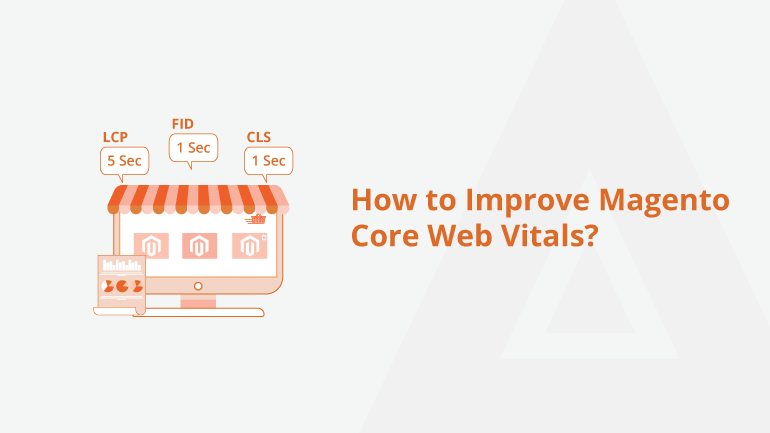
Magento Core Web Vitals Explained: How to Optimize Your Store

 Optimizing Core Web Vitals in Magento is crucial for enhancing user experience and improving search engine rankings. Slow loading times, poor interactivity, and layout shifts can negatively impact your store’s performance, leading to higher bounce rates and lower conversions.


What Are Magento Core Web Vitals?

Core Web Vitals are a set of performance metrics defined by Google that measure user experience based on loading speed, interactivity, and visual stability. Largest Contentful Paint (LCP) measures loading performance and should be under 2.5 seconds. First Input Delay (FID) assesses interactivity and should be under 100 milliseconds. Cumulative Layout Shift (CLS) evaluates visual stability and should be less than 0.1.


How to Optimize Magento Core Web Vitals

Improving Largest Contentful Paint (LCP) ensures that your store’s main content loads quickly, reducing customer frustration. To achieve this, optimize images using WebP format and enable lazy loading. Using a Content Delivery Network (CDN) can speed up asset delivery. Additionally, enabling Magento’s built-in full-page caching and reducing server response times can significantly enhance LCP performance.

Additional Tips for Magento Core Web Vitals Optimization

Enabling GZIP compression reduces file sizes, leading to faster loading times. Reducing the number of redirects prevents unnecessary delays in page speed. Optimizing database performance by regularly cleaning logs and optimizing queries ensures faster backend processing. 

Optimizing Core Web Vitals in Magento improves store speed, enhances user engagement, and boosts SEO rankings. Implement these strategies to ensure a smooth shopping experience and stay ahead of Google’s ranking factors.

For a detailed blog:https://meetanshi.com/blog/how-to-improve-magento-core-web-vitals/


Get more of our update !